Members: Jiaao Huang, Angel
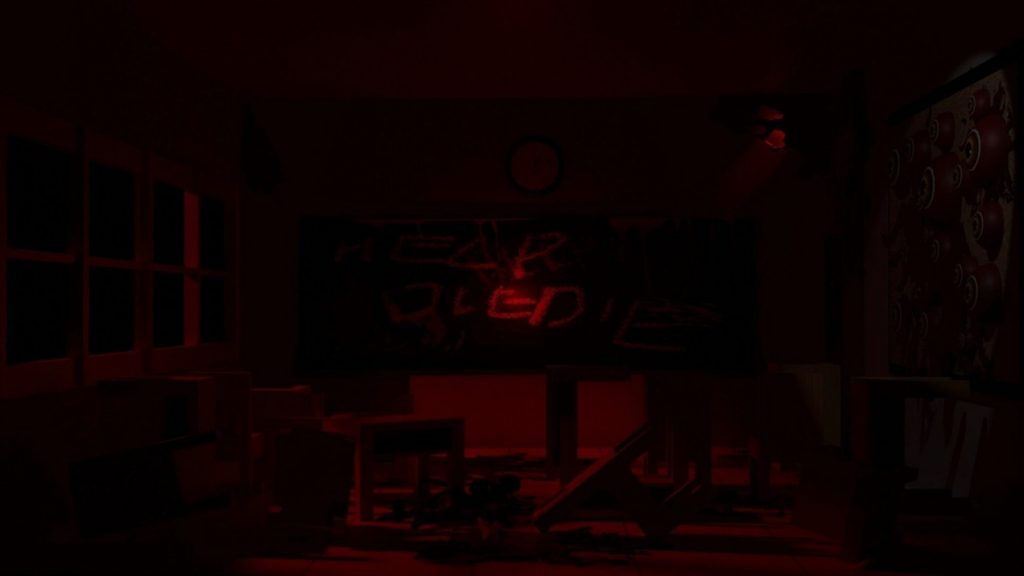
WEEK1 22.09 – 26.09 Inspiration Idea
In the first week, I personally came up with two topics that I would be interested in, but both of them were more technical in nature. I wasn’t sure whether they met the course requirements, and they were also quite different from the directions my classmates were taking.
Scene Understanding
I want to research scene understanding for XR experiences, combining real-time 3D scanning with fast AI-based object detection. This approach would allow VR projects to break free from being limited to specific physical locations, such as exhibitions or galleries. Additionally, the more adaptive and responsive the system is to the real-world environment, the stronger the connection it can create between the virtual and the real.
Interactive Ways for Audiences in VR
Although we create a virtual world in VR, it’s still important to ensure that certain elements remain realistic and make sense. This helps the audience understand how to enter and engage with the imagined world we’ve created. I believe that clear guidelines and well-designed interactions are crucial in VR, as they help audiences become more immersed in the experience rather than feeling confused or interrupted.
WEEK2 29.09 – 03.10 Inspiration Idea
After forming a team with Jiaao Huang, we tried to integrate the topics we were interested in and worked out a feasible mechanism for the project.
- MR
- 木棍碰一下就顯現畫面
Covering most of the field of view evokes a sense of horror, and we found that we were both very interested in horror games.
We collected several examples of works that utilize obscured vision as references, including films and games.
- Horror games use searchlights to explore maps.
- fog
- Visualize sound/sound waves, blindfold the eyes.
夜魔俠Daredevil
A blind superhero who relies only on hearing in combat.

- Camera
The Outlast Trials

The player has night vision goggles for lighting in the dark, but they consume battery power and require collection.
WEEK3 06.10 – 10.10 Inspiration Idea
We have initially outlined the overall concept of the work, including discussions on gameplay modes, art style, and game settings.
FORM: MR
Mate space setup + Scream understanding
To play in the scene that can grow randomly, and had connect to the real world
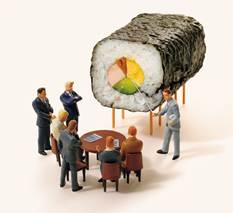
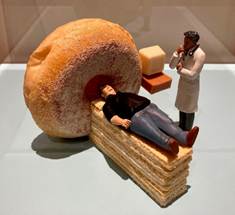
Reference: 田中達也Tatsuya Tanaka
HOW TO PLAY: The image appears when user touches it
Such as Horror game explore the map with a searchlight.
Cover the space by fog or clothes…
Reference: Daredevil
CONTENT: Real world, Inner world and Outer world
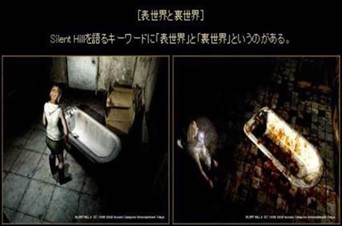
Reference: Silent Hill
- Inner world is good, while Outer world is terrible
- By touching objects with sound waves, user can see the Inner world.
(the monsters are in the Outer world)
In the end the world turns into Inner world.
Some tools will put in the Inner world or Outer world, then the user need to get them and solved the mission by crossing two worlds.
The Difference
- Object: a desk lamp in the outer world becomes an excavator in the inner world.
- Style: objects in the outer world are outlined in black and white, while objects in the inner world are in color.
WEEK4 03.10 – 17.10 Inspiration Idea
We have further refined our ideas in greater detail, including the monsters, story background, and level design.
Game Setting Feature
- The forms of objects differ between the two worlds.
Example: A table lamp in the Outer world transforms into an excavator in the Inner world.
- The artistic styles of the two worlds also differ.
Example: The Outer world is depicted in a black-and-white outlined style, while the Inner world is rendered in full color.
- The Inner world can be perceived when objects come into contact with sound waves.
- Tools for puzzle can be placed on specific tables.
- Ultimately, the Outer world completely transforms into the Inner world.
TO DO
Discuss monsters present or not.
WEEK5 20.10 – 24.10 Inspiration Idea
We have developed an initial plan and vision for the project, and have begun testing features and visual effects in Unity.
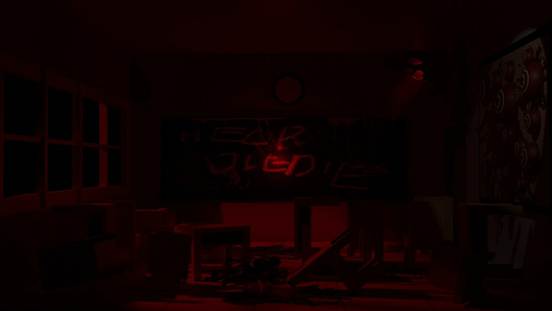
Outer world art style
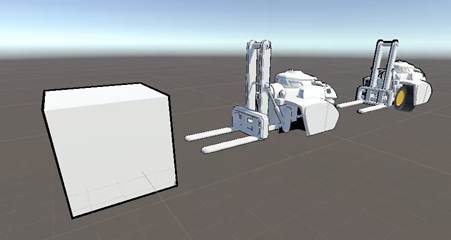
Inner world art style & material
We hope the Inner World can evoke a warm and cartoony feel, so we experimented with outlined shader materials in Unity.
We gathered some references and attempted to envision the transition style and aesthetic between the two worlds.
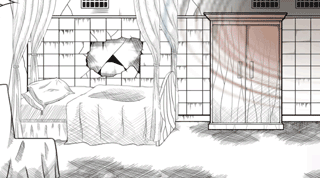
refference link: https://blog.csdn.net/dongfushu7972/article/details/102281262
Transition: Portal Rendering
To achieve the effect of viewing different worlds and obtaining items from alternate dimensions, we have chosen portal rendering as the medium and found an open-source implementation on GitHub.
refference link: https://github.com/Feddas/VrPortalDoor
Tutorial on Youtube
Background Setting
Why the player is there:
The player is trapped within their own psychological shadow — a world they’ve sealed themselves inside.

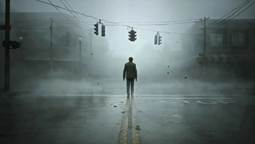
Inspired by The Inner Fence and Silent Hill.
Place: A child’s room.
This world manifests from the psychological strain of parents raising — or losing — a child.
The hallucinations stem from the conflicting emotions and pressures surrounding birth, death, and guilt.
Gameplay Mechanics
- Players collect items and traverse between the outer world and the inner world.
- By following monsters and environmental clues, the player must find a key to either enter the inner world or return to reality.
Monster Design
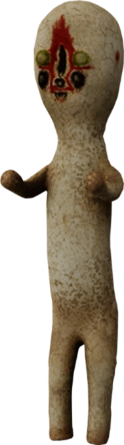
The monsters represent babies — born or unborn.
Inspired by the statue SCP-173:
- The creature moves, approaches, or guides the player…
- But it must always remain within the player’s line of sight.
The monster embodies fear yet paradoxically guides the player toward the key that leads out of the room.
Map Design
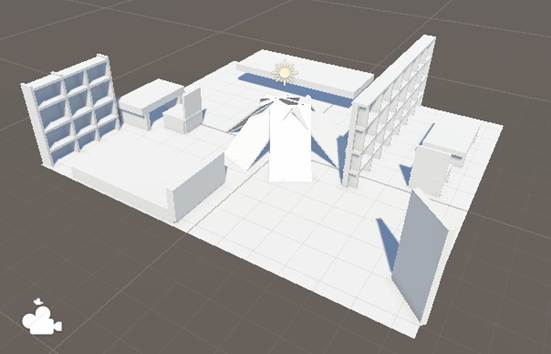
Inner World Map Design
Because the MR feature we use can only create the map using blocks.
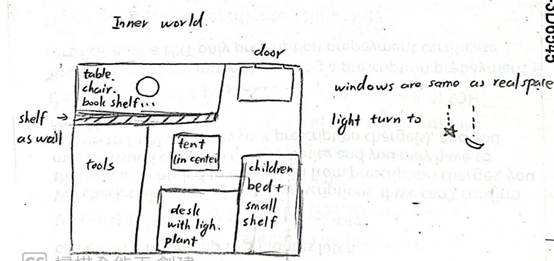
other design detail
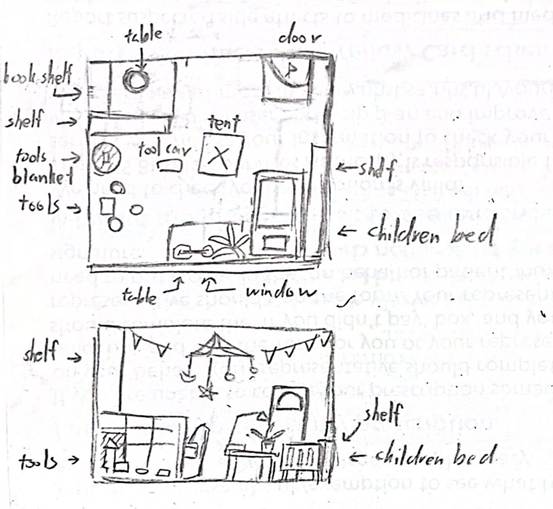
- Windows’ size and position will same as the real space.
- Lights’ will stay in the same position as the real space, but the shape will turn into baby mobile.
- The tent placed at the center will partially obstruct the player’s view, creating a sense of the unknown and a space for hiding that evokes fear.
The ideal map layout for the empty room
WEEK6 27.10 – 31.10 Inspiration Idea
We are attempting to use puzzle design to progressively build a sense of horror. We aim to increase the duration and opportunities for the audience to be near, in contact with, or alone with the monster.
Puzzle Design
The audience must sequentially find the keys.
- The first key is on the table.
- The second key is inside the tent.
- The third key is on the bed in the Inner World or outside the window.
We have chosen two types of outer world scenarios and envisioned what kinds of things and props should appear in them.
Supernatural
Psychological Pressure
Altar
Prison
Chains, Prison uniform, Food residue, Iron bars, Guard’s uniform, Guard’s baton, Paper, Handcuffs, Shackles, Stains, Posters, Newspapers, Photos, Toothbrush, Toiletries
After the second discussion with the teacher, we made some changes to the project structure and streamlined the content to ensure we can complete the project within this semester.
TODO
- MR for now, let’s wait and focus on VR first.
- The portal can stay.
- Research Nav Mesh Agent, and set movement speed to zero during observation.
Relative Work
- Clock in the wall
- One, Two, Three, Wooden Man
Practice in the course
WEEK7 03.11 – 07.11 Project Production Record
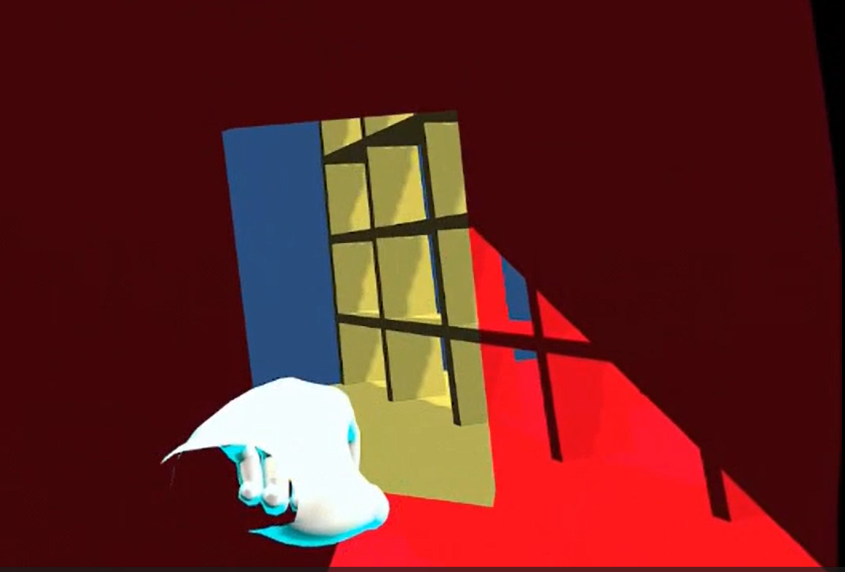
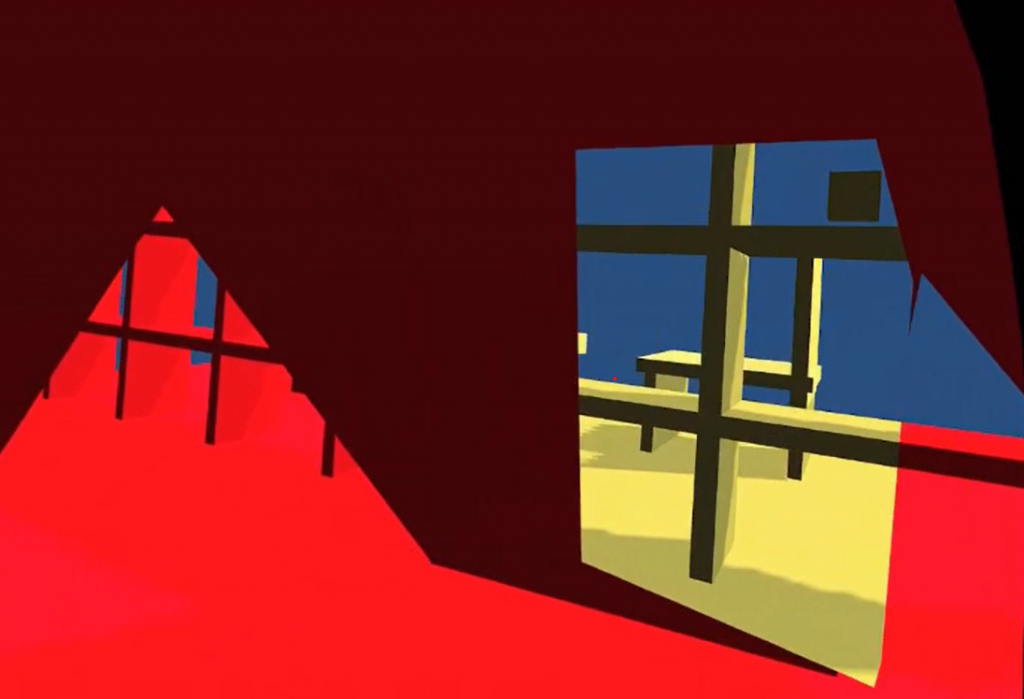
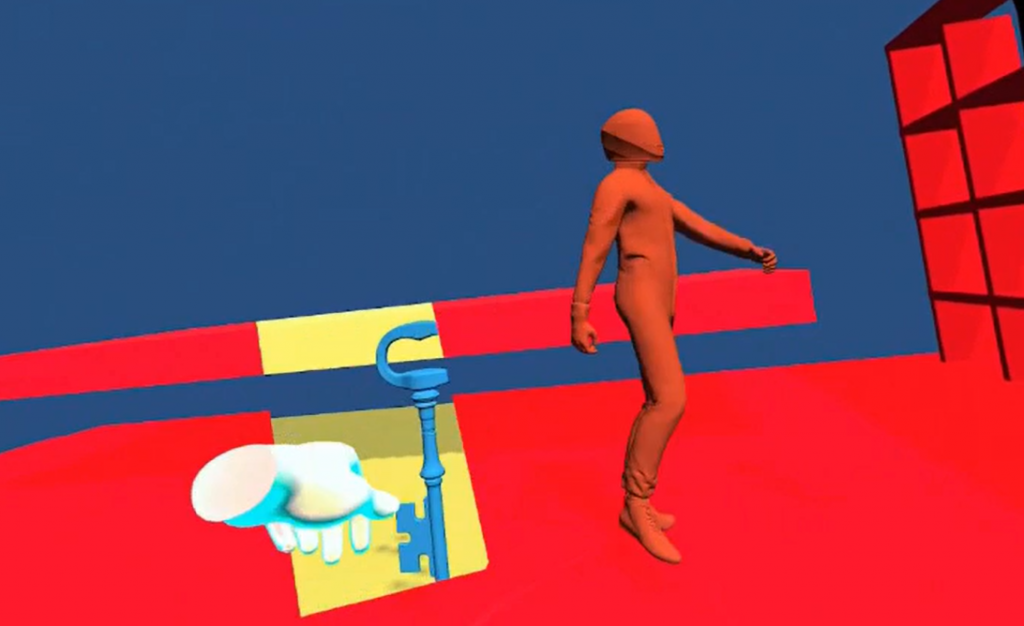
We’ve started implementing in Unity and have initially completed the portal render attached to the hand, as well as the monster movement mechanism.
When the monster moves out of the audience’s sight, it will turn and move towards the audience.
Practice in the course
Week8 10.11 – 14.11 Project Production Record
This week, I fine-tuned the monster’s movement system, including the following
- Rewriting the script that determines whether the monster is within the line of sight of the player.
- When the monster moves, it now avoids the camera to prevent it from moving too close to the user, which could cause the line-of-sight detection to fail.
- Initial testing shows that after the player completes a task (such as touching a key), the monster can move to the next task location.
- The monster’s movement and idle animations are blended and played using a blend animation system.

WEEK9 17.11 – 21.11 Project Production Record
We’ve updated the content of the puzzle game, aiming to incorporate more elements that will make the game more narrative-driven and offer greater variety in the puzzles. This should help make the gameplay more engaging and immersive, with different outcomes and twists that keep players on their toes.
- Find the keys to open the boxes.
- Search for scattered puzzle pieces throughout the environment.
- Locate the number models in the Inner World and bring them into the Outer World. And must then complete the mathematical equations that appear in the Outer World.
I’ve been researching the special render shader for the portal to avoid issues with texture mapping when switching to new models in the future.
I’ve completed the portal mesh that only appears when it collides with objects, and I also attempted to implement edge feathering. However, this effect is currently only working with a standard shader. It hasn’t had any effect on the portal diffuse object yet. This issue will need to be fixed in the future.
I’ve completed the OVR controller object grab functionality. After grabbing the key, when it touches the keyhole, it will automatically switch to a state indicating that the key has been inserted.
I’ve completed the scattered puzzle mechanism. Now, when the audience performs a specific gesture, they can see the puzzle pieces they’ve collected on their hands, along with their correct positions. Once the audience has collected all the pieces and completed the puzzle, they will be able to view the full image on their hands.
WEEK10 24.11 – 28.11 Project Production Record
A number-based puzzle that allows players to grab number models (from the inner world) and place them into the blanks of a mathematical equation.
Players can place and remove the numbers freely. When the placed numbers make the equation valid, the puzzle is cleared, and the numbers can no longer be picked up.
WEEK11 01.12 – 05.12 Prepare for Final Crit
This week, we will integrate the art and programming, making slight adjustments to the size and positioning of objects, etc. After that, we will place the items in their correct positions and shoot a demo video in order.
【1】
The game starts in the corridor outside the door, where you can look around, familiarize yourself with the surroundings, and practice hand movements.
On the left side of the corridor, there is a slightly ajar door. When the player approaches, it will automatically open, and close behind them after they pass through.
【2】
While the player is exploring the room, the monster will appear behind them (with footsteps getting closer and closer). The monster will stop approaching only when the player turns around to face it. After that, it will walk over to the item and begin guiding the player on how to escape.
【3】
The first level is the simplest. The player must grab the key and place it in the keyhole. During this process, the monster will watch the player closely.
【4】
The second level is a puzzle. The puzzle pieces are scattered around the area, and the player must follow the monster to find them and complete the puzzle. During the process of interacting with objects, the player will discover that by touching the surface of certain items, they can see the inner world.
【5】
In this level, the player must reach into the inner world to grab number models, then return to the outer world to complete the mathematical equation.
【6】
In the end, a door leading to the outer world will appear in front of the player. The player can step through it, entering a warmly styled outer world. The monster will also transform back into the appearance of a child.
WEEK13 15.12 – 19.12 Add More Detail
After the final critique, we received some suggestions, including recommendations for the game’s storyline arrangement, as well as the need to add more references and research.
Fear Progression Timeline

References of horror
【Game】The Outlast Trials
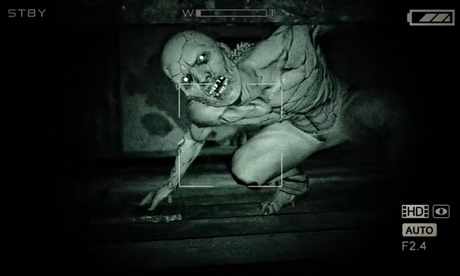
The player can only run and hide in the game, and cannot retaliate against the monsters.
【Movie】Conjuring 1
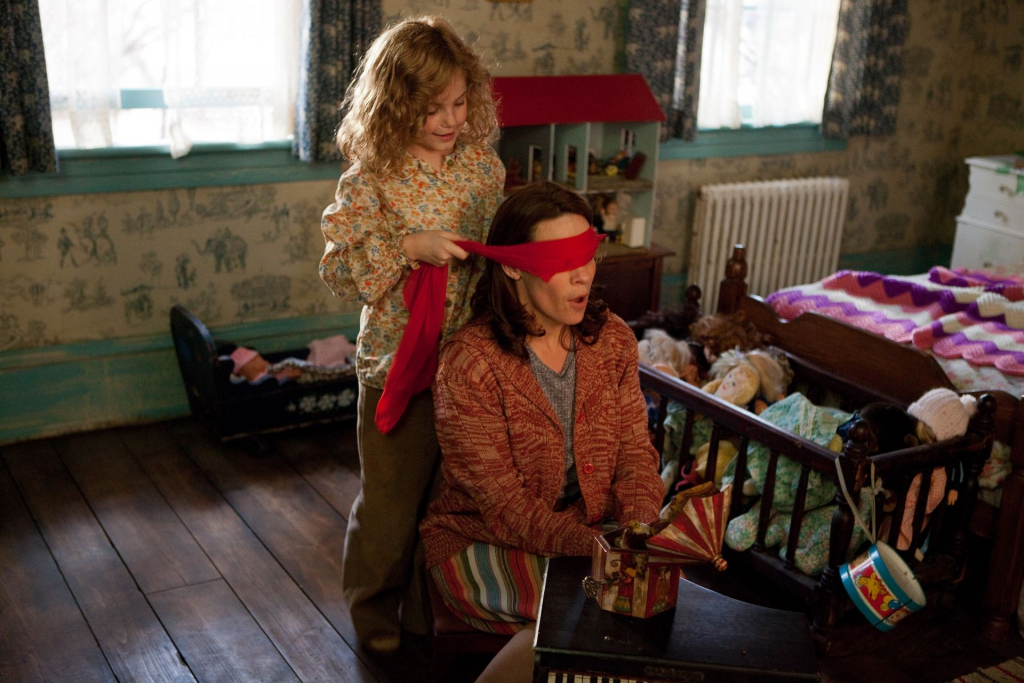
Linking horror elements with the game of children.
【Movie】Conjuring 2
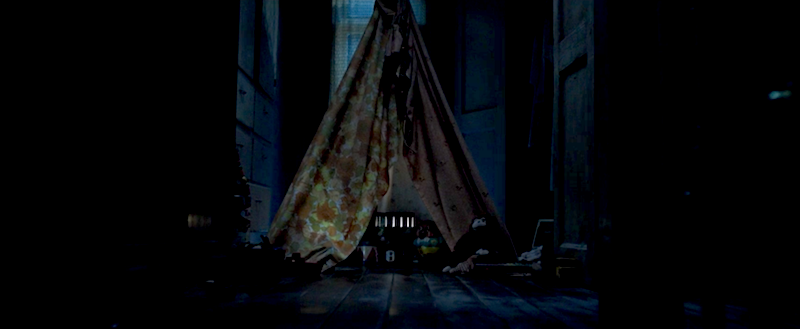
Children’s furniture (such as tents) combined with horror elements.
【Movie】The Nursery
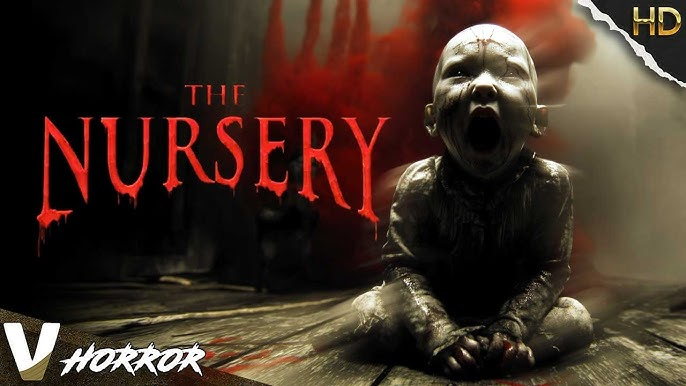
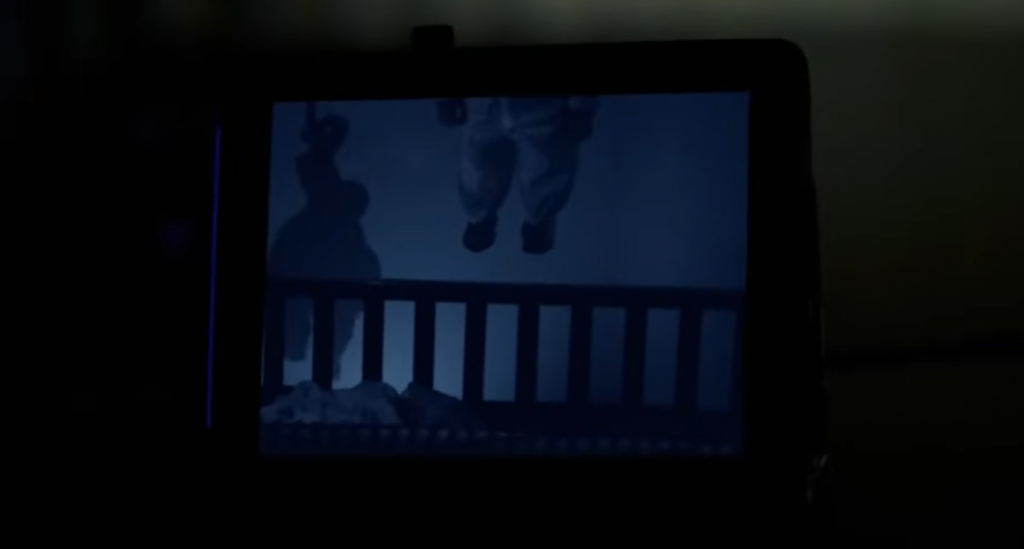
Horror movies related to baby’s rooms, featuring eerie behavior of babies and the terrifying atmosphere within the nursery, can be referenced.
WEEK14 22.12 – 26.12 Game Design Document
We completed the Game Design Document, which gave us a clearer understanding of the overall game structure and helped us identify the core focus of the game.
GAME DESIGN DOCUMENT
Game Name: Baby’s Room
Genre: Horror Puzzle VR Game
Game Elements: While being chased by terrifying monsters, players must solve puzzles and escape from this frightening space.
Player: 1
TECHNICAL SPECS
Technical Form: 3D graphics
View: First-Person View
Platform: Oculus Quest 3 (Android-based VR Platform)
Language: C#
Device: Oculus Quest 3
GAME PLAY
Players will solve puzzles in a terrifying baby’s room while keeping a close eye on a horrifying monster. If they don’t maintain focus on the creature, it will approach and attack. By watching and following the monster, players will uncover scattered clues within the room. Along the way, they’ll discover that interacting with objects’ surface reveals glimpses of a warmer, more peaceful version of space. Objects can shift between the two contrasting environments, and players must use this mechanic to solve puzzles and progress.
Game Play Outline
- Opening the Game Application:
The player will appear in the hallway outside the room. A fade-in and fade-out title screen is shown, and there is a partially open room door. - Story Synopsis:
After entering the room from the hallway, the player has a brief period to explore the space. Shortly after, a monster will appear. If the player does not keep their eyes on the monster, it will move closer and attack. However, if the player looks at the monster, it will lead them to important clues.- The monster will stand next to a key. The player can grab the key and use it to unlock a nearby lock, obtaining a puzzle piece.
- The monster will guide the player to scattered puzzle pieces around the room. After collecting the puzzle pieces, the player can perform a specific hand gesture to reveal a photo of a baby and their parents in their hands. Along the way, the player will also discover that touching objects’ surfaces reveals a warmer, more peaceful version of the room.
- The player must touch the surfaces of objects to find numbered models in the peaceful world. After extracting these models, the player places them in the corresponding spots in a math formula, completing the equation.
- Game Elements:
Need to watch the monster.
Solving puzzles:
Interacting with objects’ surfaces and shifting some objects between two different spaces (the eerie and the peaceful worlds). - Game Levels:
2 levels – the errie baby’s room and the peaceful baby’s room. - Player’s Controls:
- Hand Tracking:
- Touching objects’ surfaces to reveal another world.
- Grabbing and placing objects.
- Special hand gestures to view the completed puzzle image.
- Hand Tracking:
- Winning:
After solving the puzzles, the player can pass through a portal to escape the horrible room. - Losing:
The player can be attacked and killed by the monster during the game. - End:
After solving the mystery, a portal will appear, allowing the player to leave the room and enter the warmer, peaceful children’s room they had previously glimpsed. - Why is all this fun?
The excitement comes from solving puzzles, avoiding the monster, and discovering hidden environments. The game combines tension, exploration, and puzzle-solving to create an engaging experience.
Key Features
- Immersive VR Experience
- Hand Tracking and Gesture Controls:
Players can interact with the environment through hand tracking, allowing for immersive puzzle-solving, object manipulation, and special hand gestures to reveal hidden puzzle pieces. - Monster Mechanic:
A unique gameplay mechanic where players must keep their eyes on a terrifying monster. The creature will approach and attack if ignored, but if observed, it will lead the player to vital clues. - Puzzle Solving in Two Worlds:
Interact with objects to reveal a second, peaceful world. Objects can shift between the eerie and calm environments, and players must use this mechanic to solve intricate puzzles and uncover hidden secrets. - Horror and Exploration Elements:
Navigate a creepy, atmospheric room filled with hidden clues, with the tension of constantly being hunted by a monster. The constant threat of being attacked by the monster, combined with the tension of puzzle-solving under pressure.
Game Flowchart

Player Definition
- Health: The player dies when the monster attacks.
- Visibility: The player can see the peaceful or eerie room at any moment.
- Hand Gestures:
- The player uses specific hand gestures
- grabbing
- The player uses specific hand gestures
- middle pinching
Player Properties
- Visibility:
- When the player touches certain objects in the eerie room, causing a part of peaceful room to be shown.
- Changes in visibility impact the puzzles the player can solve and the objects they can interact with.
- Hand Gestures:
- Grabbing to move the objects and release them while opening the hand.
- Middle pinching to see the complete image of puzzles.
Player Rewards
Key: The player picks up the key and uses it to unlock the puzzle piece.
Puzzle Pieces:
- Collecting puzzle pieces allows the player to solve puzzles, completing both the picture and the math equation.
- The player gathers puzzle pieces by touching or interacting with objects in the room. Once all pieces are collected, the portal to the peaceful room opens.
User Interface (UI)
In our design, we strive to avoid UI elements as much as possible to prevent these from affecting the immersive experience of the game, allowing the player’s experience to feel more authentic.
WEEK15 29.12 – 02.01 Project Production Record
I completed the whole process for the player to experience. However, there was a size issue when testing the entire game. This problem occurred because, during the previous test, I was sitting in a chair while testing.
- The room scale is too large, and the furniture is too small. In order for the furniture to look normal, the room needs to be large. However, this may not be feasible in a small space.
- If the user’s height fits the hand door, then the desk and bed will be too small.
This make the user not able to play the entire game at the same height or scale.
WEEK16 05.01 – 09.01 Project Production Record
I integrated the final model into the project and completed the recording of the final video, which was then handed over to the team members for voiceover.
Leave a Reply